ASUS ROG STRIX XG32UCWMG WOLED 4K 240Hz/ FHD 480Hz
£1,049.00
Sale price
£1,049.00
Regular price
Skip to product information


ASUS ROG STRIX XG32UCWMG WOLED 4K 240Hz/ FHD 480Hz
£1,049.00
Sale price
£1,049.00
Regular price
Product Highlight
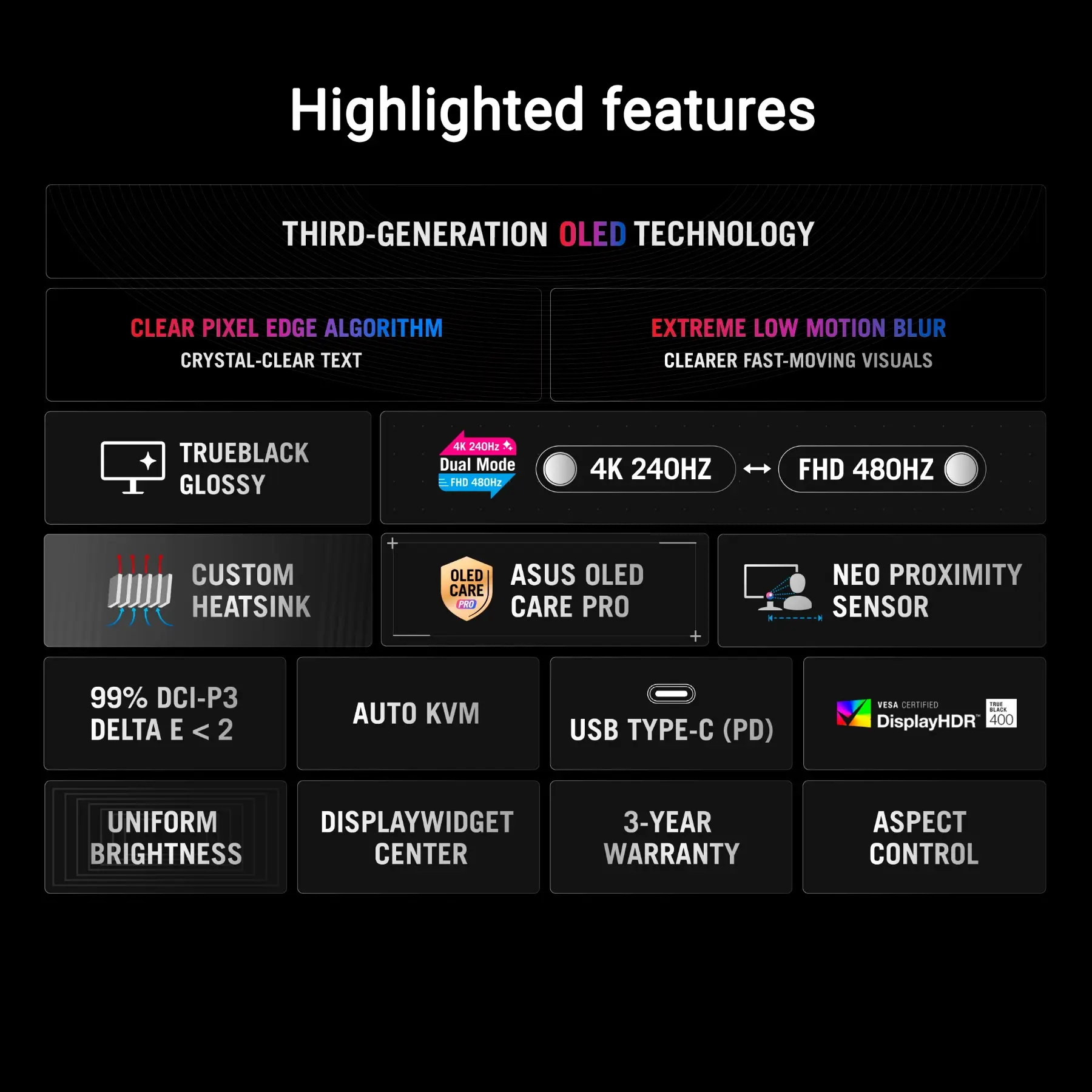
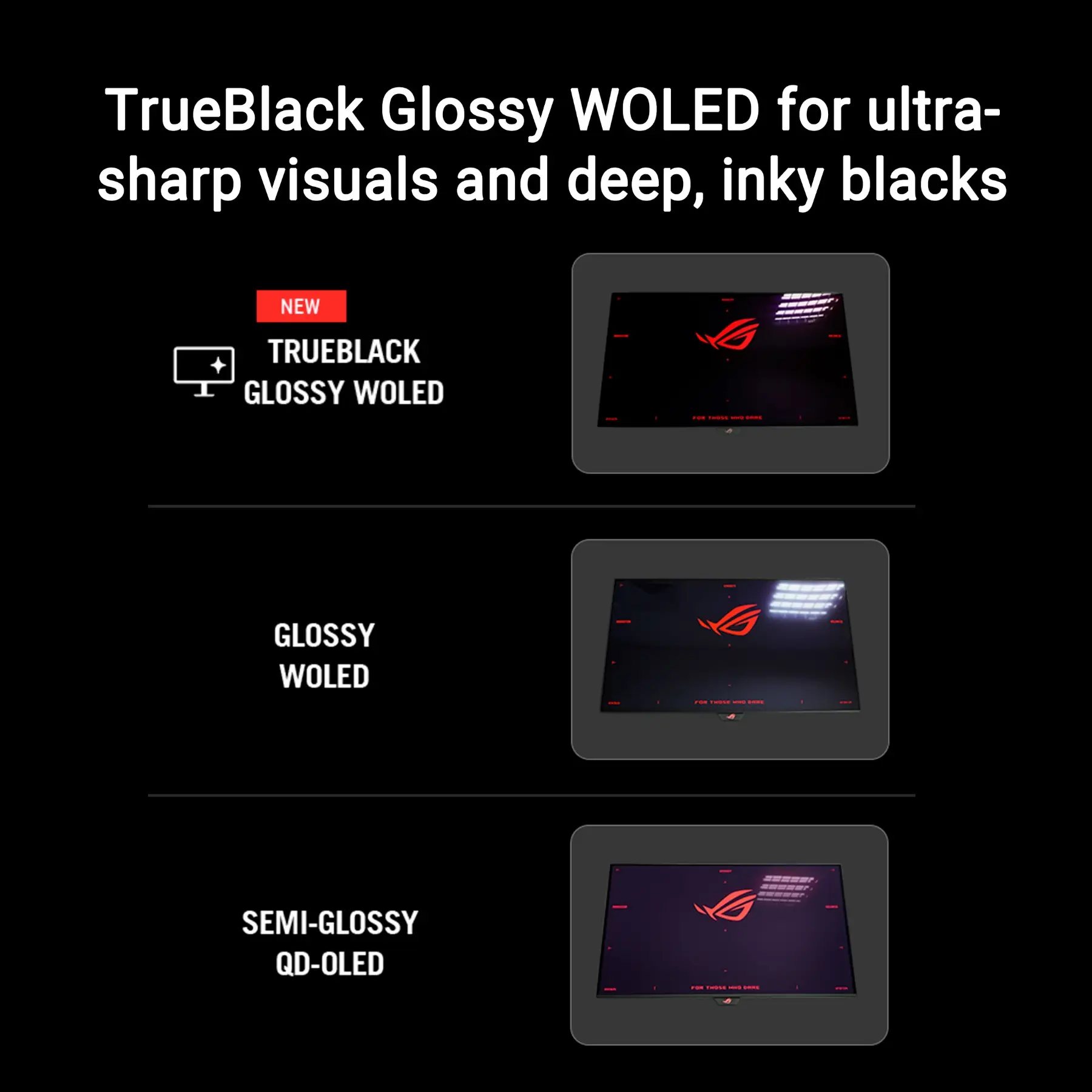
- 32-inch (31.5-inch viewable) TrueBlack Glossy™ WOLED monitor with dual-mode refresh: 4K@240Hz for immersive gaming, FHD@480Hz for competitive esports, paired with 0.03ms GTG response timeROG.
- AI Assistant with Dynamic Crosshair, Dynamic Shadow Boost, and AI Visual functions to elevate gaming performanceROG.
- OLED Care Pro with Neo Proximity Sensor, auto black screen, and pixel refresh for robust burn-in protectionROG.
- 99% DCI-P3 gamut, true 10-bit color, Delta E < 2, and VESA DisplayHDR 400 True Black for accurate, vivid visualsROG.
- Versatile connectivity: DisplayPort 1.4 DSC, HDMI 2.1, USB-C (DP Alt Mode + 15W PD), USB-A hub, and 3.5mm audio outROG玩家国度.
Technical Details
| Specification | Details |
|---|---|
| Brand | ASUS ROG |
| Model Name | ROG STRIX XG32UCWMG |
| Panel Type | TrueBlack Glossy™ WOLED (31.5-inch viewable) |
| Resolution | 4K UHD (3840 x 2160) |
| Refresh Rate | 4K@240Hz, FHD@480Hz (dual-mode) |
| Adaptive Sync | AMD FreeSync Premium, NVIDIA G-SYNC Compatible |
| Response Time | 0.03 ms (GTG) |
| HDR | VESA DisplayHDR 400 True Black (peak 400 nits) |
| Color | 99% DCI-P3, true 10-bit (1.07B colors), Delta E < 2 |
| Connectivity | 1×DP 1.4 DSC, 2×HDMI 2.1, 1×USB-C 3.2 Gen 2 (DP Alt/15W PD), 2×USB 3.2 Gen 1 Type-A, 3.5mm audio |
| Ergonomics | Height/tilt/swivel/pivot; VESA 100×100mm |
| Dimensions (w/stand) | 714.4 × 502.1 × 240.3 mm |
| Weight (w/stand) | 11.2 kg |
| Model Number | XG32UCWMG |
| Power Consumption | 120W (max), 50W (typical), 0.5W (standby) |
Model Number
XG32UCWMG
Usage Instruction
- Unpack and mount the monitor on its stand or VESA arm; adjust height, tilt, swivel, or pivot for optimal viewing.
- Connect via DisplayPort 1.4 DSC (4K@240Hz/FHD@480Hz), HDMI 2.1 (4K@120Hz for consoles), or USB-C (laptops/tablets with PD).
- Install DisplayWidget Center (Windows 10/11) to manage settings, OLED Care Pro, and save profilesROG.
- Use the on-screen display (OSD) or DisplayWidget to toggle dual-mode refresh and AI Assistant featuresROG.
- Enable OLED Care Pro and Neo Proximity Sensor to minimize burn-in risk during idle periods.
Safety Warning
- Avoid exposing the monitor to extreme temperatures, moisture, or direct sunlight for extended periods.
- Use only the included power adapter to prevent electrical hazards or performance issues.
- Do not disassemble or modify the unit—risk of electric shock or panel damage.
- Prolonged high-volume audio through the 3.5mm jack may cause hearing damage; use volume limits.
- Keep away from strong electromagnetic fields to avoid interference.
Country of Origin
Made in China